
Preparing users for their first measurement
Preparing users for their first measurement
Before a user starts their first Shen AI measurement, it's worth taking a moment to explain what will happen during the scan and how they can achieve the best results.
Good pre-scan guidance has two benefits:
- it helps users complete the measurement successfully,
- It builds trust by explaining how the technology works and how their data is handled.
The SDK includes a default onboarding experience, but you can also build your own introduction that matches your application's design and tone of voice.
What should users know before scanning?
Before the measurement begins, you might want your users to understand:
- what the scan measures,
- how long it takes,
- how to position themselves,
- what they should (and shouldn't) do during the scan,
- how their data is processed.
Providing this information upfront reduces failed measurements and helps users feel more comfortable with the experience.
The default onboarding screens
The standard Shen AI experience includes a short onboarding that introduces the technology and prepares users for the scan.
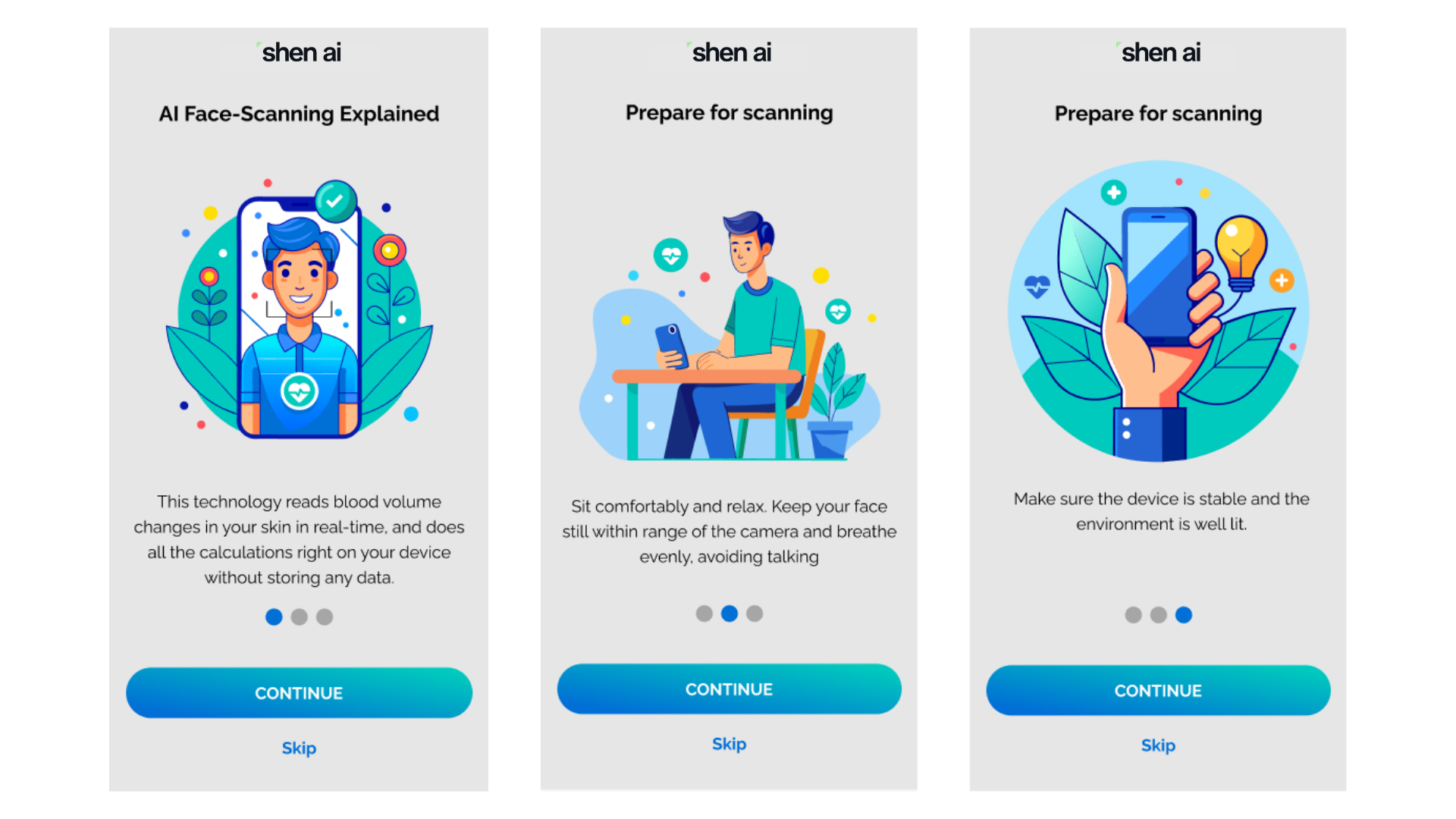
These screens explain:
- how AI face scanning works, including that measurements are performed directly on the device without storing facial images,
- how to prepare, such as sitting comfortably, keeping the face still, and avoiding talking,
- environment recommendations, including using good lighting and placing the device on a stable surface.
You can use these screens as provided or create your own onboarding experience that covers the same key information.
Educating users about the technology
Users may have never encountered camera-based vital sign measurement before.
A short explanation before the first scan can improve confidence and reduce uncertainty. For example, you may want to explain that:
- the camera detects tiny changes in skin color and head movement caused by blood flow,
- measurements are calculated from this physiological signal,
- processing happens locally on the device,
- facial images are not stored or sent to external servers by the SDK.
For additional educational content written for end users, see How to Use Shen AI.
Explain what users should expect
Setting expectations before the scan helps avoid confusion during the measurement.
Consider explaining that:
- the standard measurement takes about 30 seconds,
- heart rate is usually the first result shown,
- the remaining measurements become available once the scan is complete,
- users should remain still until the measurement finishes.
For more details, see Understanding the measurement duration.
Legal and privacy considerations
Depending on your market and intended use, you may need to present additional information before users perform their first measurement.
For example, your onboarding or consent flow may include:
- a privacy notice explaining how measurement data is processed,
- explicit user consent where required,
- an informational disclaimer about the intended use of the measurements.
Shen AI provides recommended wording and implementation guidance covering GDPR, consent, privacy notices, and measurement disclaimers.
For more details and recommendations, see Privacy and compliance.
Best practices
A good first-time experience usually includes:
- a short explanation of how the technology works,
- clear preparation instructions,
- realistic expectations about the measurement,
- required privacy and consent information,
a smooth transition into the scan itself.
Taking a few extra seconds to prepare users can significantly improve measurement quality and reduce abandoned or unsuccessful scans.

More blog posts
Sagittis et eu at elementum, quis in. Proin praesent volutpat egestas sociis sit lorem nunc nunc sit.

How Shen AI protects privacy and data security
Discover how Shen AI processes health measurements locally, limits data transfers, and helps developers build privacy-conscious digital health applications.
A practical introduction to the Shen AI Medical SDK
The Shen AI Medical SDK is a CE-marked Class IIa software as a medical device that estimates blood pressure, heart rate, HRV, and breathing rate from a one-minute face scan using a standard camera. This guide explains what the certification covers, how the technology works, how the Medical SDK differs from the Wellness SDK, and which product decisions teams should make early when building regulated medical applications.
[Press] Shen AI's vital signs are now certified: Introducing the Medical SDK
Choosing the right SDK is crucial for aligning your product’s regulatory pathway, claims, customization, and go-to-market timeline. Explore this breakdown comparing Shen AI’s three camera-based health monitoring SDK options.