
Team and seat management
Team and seat management
If multiple people in your organization work with Shen AI, you can manage access from the Team section of the dashboard.
Each team member receives their own login with permissions appropriate to their role. This improves security, makes activity easier to track, and gives everyone access only to the tools they need.
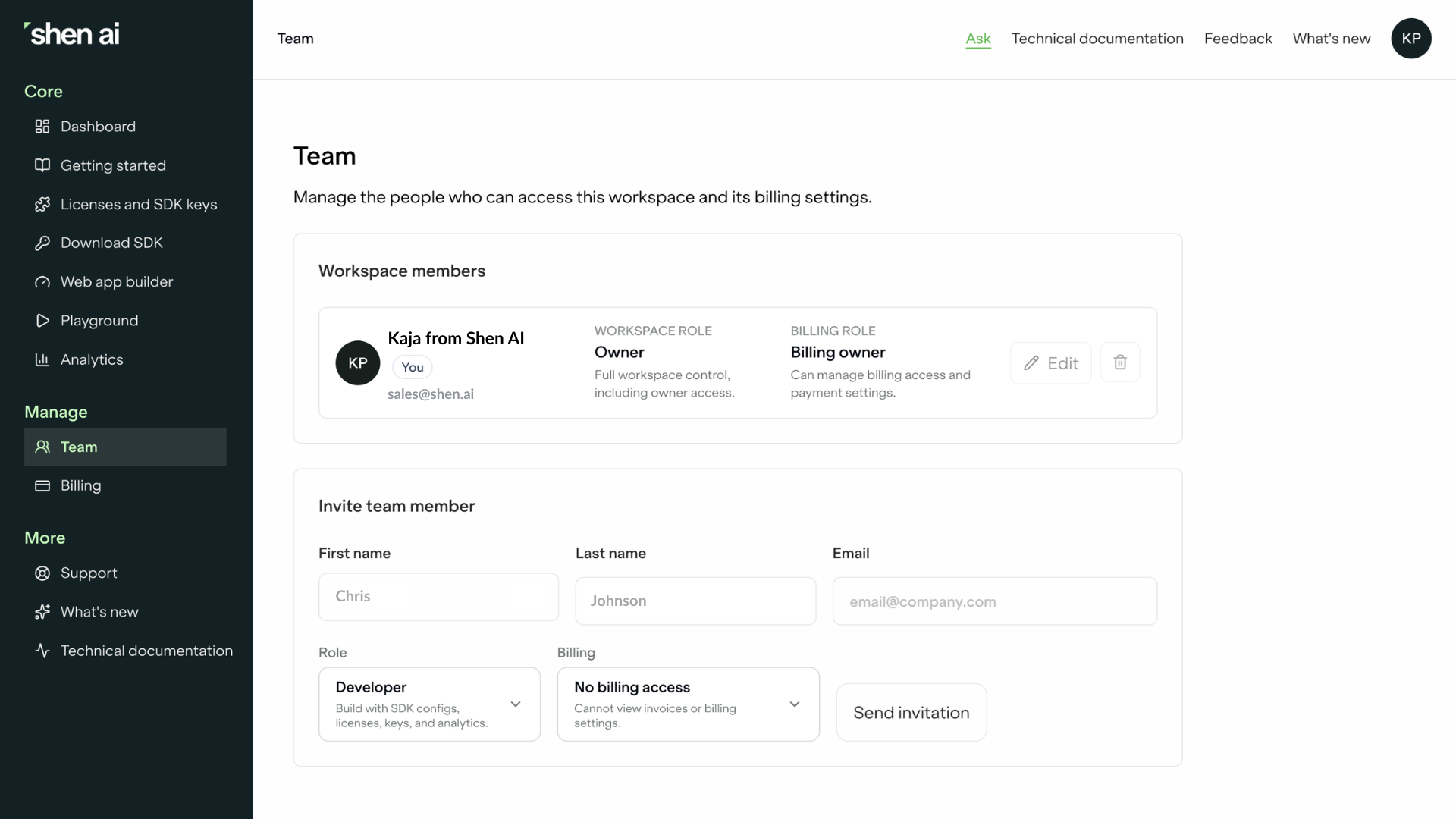
Inviting team members
To add someone to your workspace, open Team, enter their email address, select a role, and send an invitation.
The user will receive an email invitation and can join your workspace once they accept it. Until then, invitations remain visible in the Pending Invitations section, where they can be resent or revoked if needed.
Understanding roles
Shen AI supports four user roles, each with a different level of access.
Owner
The Owner has full control over the workspace, including billing and administrative settings. Owners can manage team members, change subscriptions, and perform actions that affect the entire account.
Admin
Admins manage the workspace on a day-to-day basis. They can invite users, manage licenses and SDK keys, configure integrations, and administer the workspace without having access to billing ownership.
Developer
The Developer role is intended for engineers integrating Shen AI into an application. Developers have access to the SDK, Playground, and analytics, but cannot manage billing or workspace administration.
Viewer
Viewers have read-only access to selected areas of the platform. This role is useful for stakeholders who need visibility into analytics or project progress without making configuration changes.
Managing access
As your team changes, you can update user roles or remove members from the workspace at any time.
Pending invitations can also be managed directly from the Team page, making it easy to resend an invitation or cancel it before it is accepted.
Best practices
Most organizations assign permissions according to responsibilities.
A common setup is:
- one or two Owners responsible for billing and account administration,
- technical leads or engineering managers as Admins,
- developers integrating the SDK as Developers,
- product managers or business stakeholders as Viewers.
Following the principle of least privilege helps keep your workspace secure while ensuring everyone has access to the tools they need.

More blog posts
Sagittis et eu at elementum, quis in. Proin praesent volutpat egestas sociis sit lorem nunc nunc sit.

How digital health apps can use heart rate data
Explore how heart rate data can help developers build smarter digital health apps, from tracking personal baselines and exercise recovery to combining physiological signals for more personalized user experiences.
How Shen AI protects privacy and data security
Discover how Shen AI processes health measurements locally, limits data transfers, and helps developers build privacy-conscious digital health applications.
A practical introduction to the Shen AI Medical SDK
The Shen AI Medical SDK is a CE-marked Class IIa software as a medical device that estimates blood pressure, heart rate, HRV, and breathing rate from a one-minute face scan using a standard camera. This guide explains what the certification covers, how the technology works, how the Medical SDK differs from the Wellness SDK, and which product decisions teams should make early when building regulated medical applications.